Smart Lighting Control Solution Hub for Commercial Retrofit
This smart lighting control solution for commercial retrofit is the hub that sorts every lighting upgrade into one of three control routes before any fitting is chosen. Refurbishment teams usually arrive with the same mix: occupied ceilings where pulling fresh control cable would disrupt tenants, wired bus installations worth keeping, and compact rooms where a full-size controller budget makes no sense. Our commercial wireless and DALI lighting solution map answers that mix at control level: a mesh-to-bus path for occupied floors, a bridge path that keeps installed buses while adding radio devices and platform control, and a standalone path where sensing or a local panel runs each zone on its own. Whatever retrofit lighting control a floor needs, the comparison below routes it toward one of four focused guides, each covering exactly one project shape.
Read this page as a signpost rather than a manual: each route below names its project shape in one line and hands off to the guide carrying the wiring, setup and fitting detail. Control decisions stay here while luminaire decisions stay on the fitting pages, where heads are matched to light levels and beam needs. Where dimming must live inside the heads themselves over radio, our Bluetooth mesh control covers that fitting-level layer.
Three Control Routes at a Glance
Wired, wireless and standalone — when each one earns its place
Keep the Wired Bus
Where bus cable and fittings already serve the floor, a gateway pair joins the kept installation to new radio devices and carries both sides toward common platforms. Pick this route for large mixed buildings that grow instead of being rewired.
Go Wireless, Keep the Mains
Where ceilings stay occupied and new control cable is off the table, a shared radio mesh carries commands while a short local bus feeds the fittings in each zone. Pick this route for offices and retail that need dimming and scene control without construction work.
Run Each Zone Standalone
Where zones are small and independent, presence sensing or a local panel runs each space on its own after an on-site setup with handheld or phone tools. Pick this route for corridors, guestrooms and compact offices that need no central cabinet.
How the Routes Connect
One hub, three paths, four focused guides
Start at the hub, follow one path, land on exactly one guide.
Every upgrade on this hub answers two questions in order: does the floor keep its bus cable, and does daily control need a network at all. Floors that keep cable take the bridge path; floors that cannot take new cable take the mesh path; rooms that need neither take the standalone path. The table below turns those answers into guides.
Corridor zones and compact rooms share the standalone idea but differ in daily use — unattended sensing with a handheld remote on one side, panel-plus-platform rooms on the other — so they open separate guides rather than sharing one.
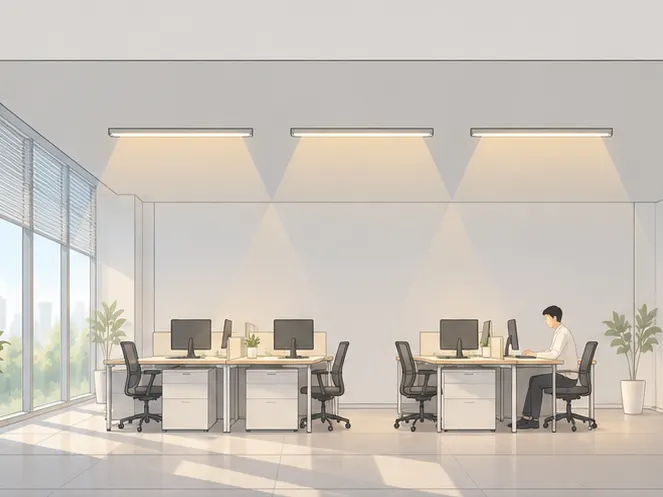
Route: occupied floors. Open offices keep existing mains wiring while commands move to radio.
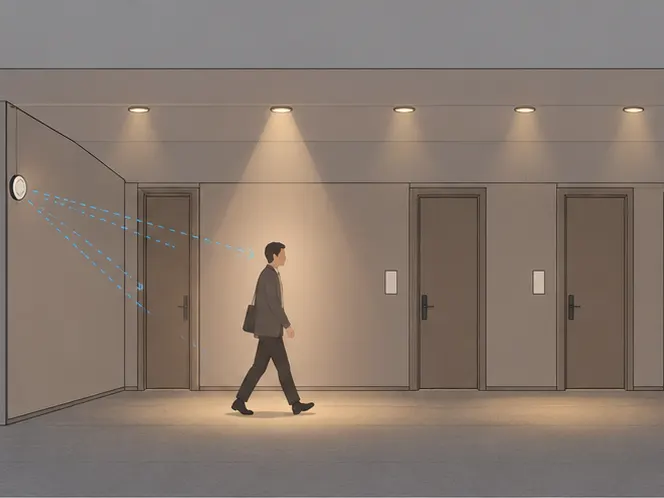
Route: corridors. Unattended sensing with hand control, configured once on site.
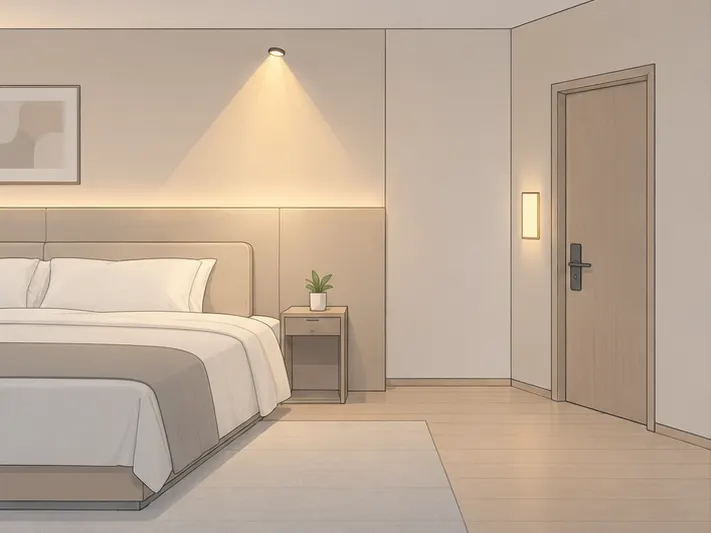
Route: small rooms. Wall panel and phone platform share one local bus.
Which Guide Matches Your Project
Four clusters, one row each — open only the row that fits
| Project shape | One-line difference | Guide |
|---|---|---|
| Corridors, stairwells and washrooms needing sensing plus hand control | Standalone zones configured on site with no gateway in the loop | |
| Occupied offices and retail needing dimming without new control cable | Mesh carries commands while a short local bus feeds each zone | |
| Large floors keeping installed buses while adding radio devices | Gateway pair translates both ways and exports toward common platforms | |
| Compact rooms where controller budgets make no sense | Sensor-led groups or panel-plus-platform rooms set up on site |
Open exactly one guide per zone type; mixed buildings combine rows instead of stretching one guide across shapes it was never written for.
FAQ
Hub-level answers — detail lives in the linked guides
Occupied offices and retail floors where ceilings must stay in use suit the mesh route — radio carries commands while a short local bus feeds each zone, so start with the wireless retrofit row in the comparison table above.
- Mains wiring to the fittings stays exactly as built.
- Grouping and scenes move into software instead of new cable.
Large floors with wiring worth keeping suit the bridge route — a gateway pair joins the kept bus to new radio devices and exports both toward common platforms, so start with the bridge row in the comparison table above.
- Installed fittings and their cable remain in place.
- Shades, switches and sensing join over radio around them.
Guestrooms, homes and compact offices suit the no-master route — sensor-led groups or panel-plus-platform rooms are set up on site with handheld or phone tools, so start with the small-room row in the comparison table above.
- No central cabinet and no specialist visit for daily operation.
- Each room keeps its own settings and runs itself.
Corridors, stairwells and washrooms suit the standalone corridor route — sensing runs each zone automatically while staff keep a handheld remote for manual override, so start with the corridor row in the comparison table above.
- Sensor-only tiers cover routes nobody overrides by hand.
- Remote tiers cover corridors where staff take temporary control.
Luminaire selection lives on the fitting pages, not on this hub — settle the control route first, then each cluster guide names the heads that suit its zones.
- This hub never recommends a fitting, only a control shape.
- Retail accent heads pair with the wireless retrofit guide.
Send Message
Fill out the form and we will get back to you as soon as possible