Gateway-Free Corridor Sensor Lighting Solution
Dual-input corridor profile — sensor plus remote, no gateway no master
One Driver Runs the Whole Corridor
This gateway-free corridor sensor lighting solution pairs our DL01-series downlight housings with project engines plus 12W Sunricher NFC corridor-mode drivers, a normal on/off sensor on the push input, and a low-power slim Touchlink remote for manual override. Sensor automation and remote dimming work together with no gateway in the loop: NFC stores fade, occupied level, vacant level, delay and other parameters per manual inside the driver, so corridors, stairwells and washrooms run standalone after commissioning.
Two tiers share one corridor profile — dual-input with remote for corridors needing auto plus manual, single-input sensor-only with the DALI driver below for the cheapest pure-DALI corridors.
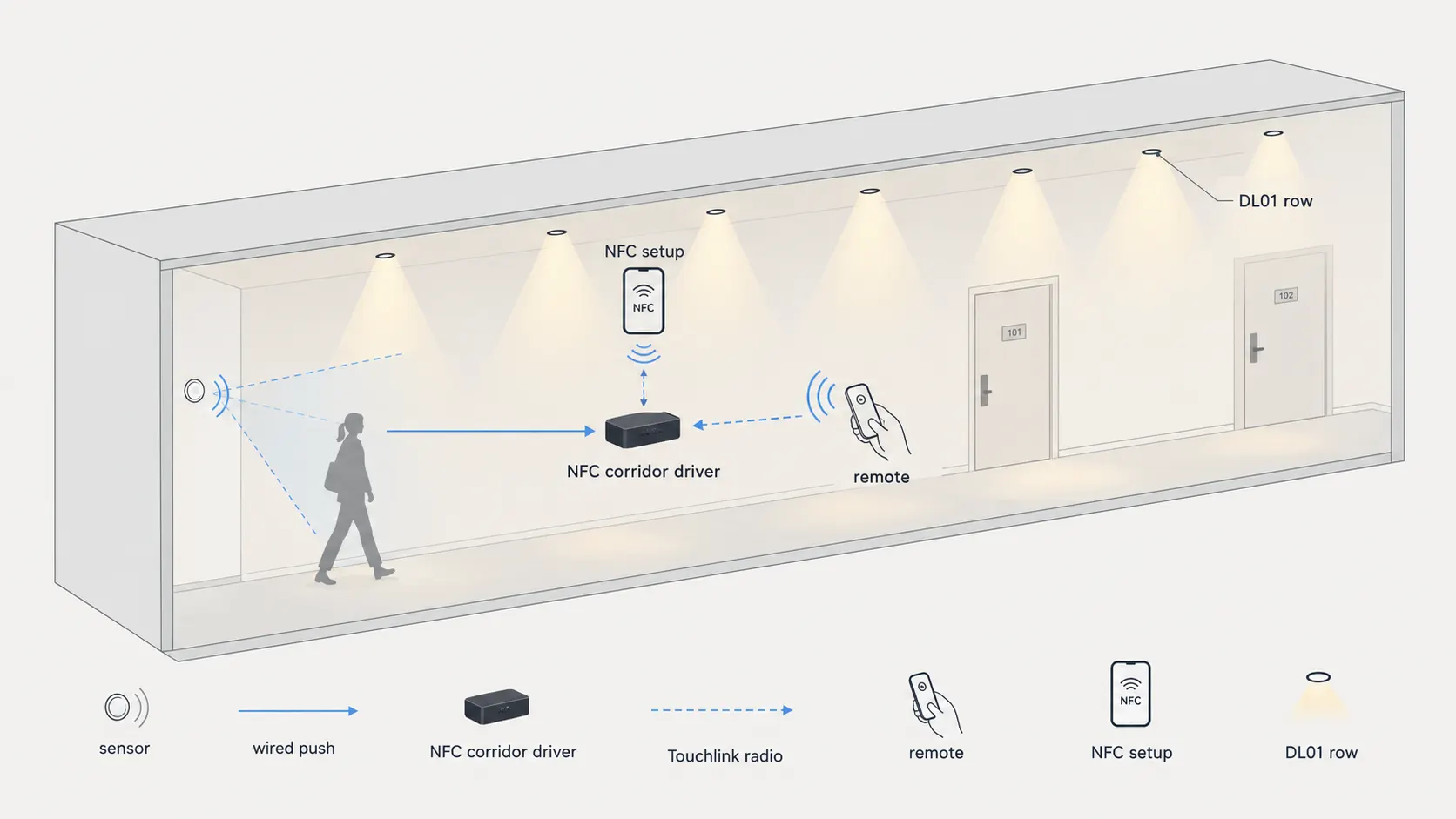
Sensor plus remote into one NFC driver feeding the DL01 row — no gateway in the loop.
How the Combination Works
Configure once by NFC, run forever without a gateway
NFC Corridor Setup
The NFC app writes fade time, occupied level, vacant level, delay and other parameters per manual into the SRP-ZG9105N-12CC100-700 driver. Parameters stay in the driver, so daily operation needs no phone, no app and no cloud.
Sensor Automatic Mode
A third-party normal on/off sensor wires to the driver push input. Motion brings DL01 downlights to the occupied level; after the delay they fall back to the vacant level instead of switching fully off.
Remote Manual Override
The SR-ZG2868K7-DIM remote pairs straight to the driver over Touchlink for one group of up to 30 single-color fittings. Staff switch, dim or call scenes by hand; sensor logic resumes with temporary manual override and last-level memory.
System Topology
Two inputs, one driver, one downlight row
Wired sensor plus wireless remote into one driver — either input alone keeps corridor light alive.
Each project housing pairs with one Sunricher constant-current NFC driver. The sensor side is wired push, the remote side is Touchlink radio. Sensor automation and manual remote control work together with temporary manual override and last-level memory. Nothing phones home and nothing needs a server rack.
Our supply scope is the visible half — the GLOW-D DL01 anti-glare downlight for hotels. Control gear follows Sunricher model numbers above, so replacement drivers and remotes stay openly sourced instead of locked to one fixture vendor.
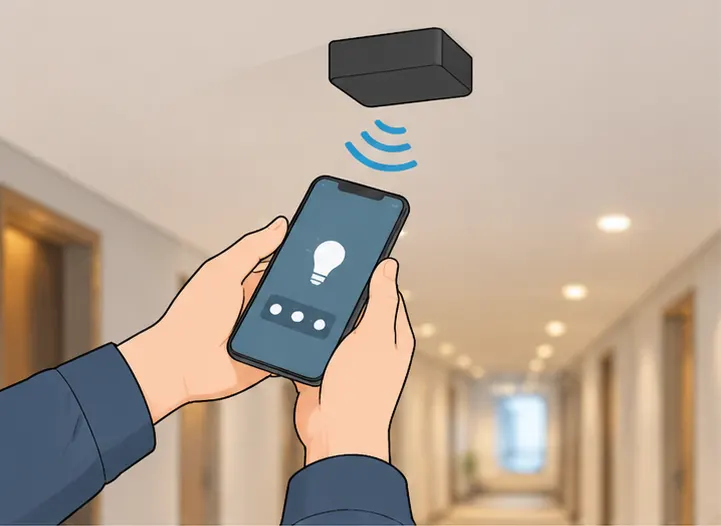
Route: NFC setup. Phone-app commissioning writes fade, occupied and vacant levels plus delay into each SRP-ZG9105N driver.
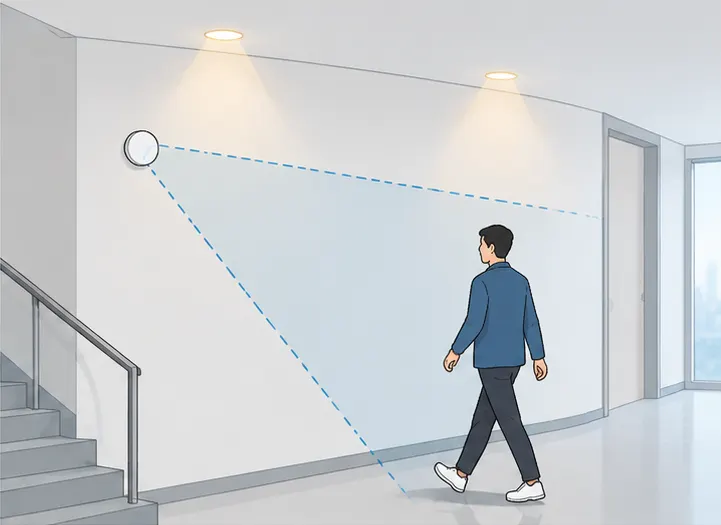
Route: wired push. Third-party on-off sensor wires to the driver push input and triggers the corridor profile.
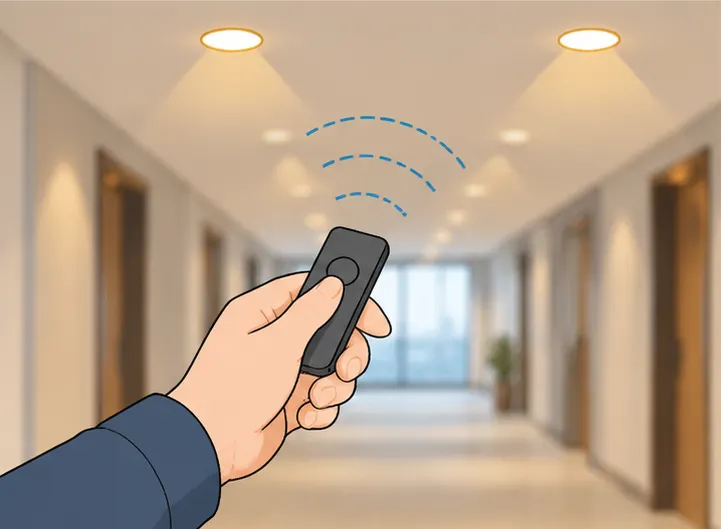
Route: Touchlink radio. SR-ZG2868K7-DIM remote pairs directly to the driver for one group of up to 30 fittings.
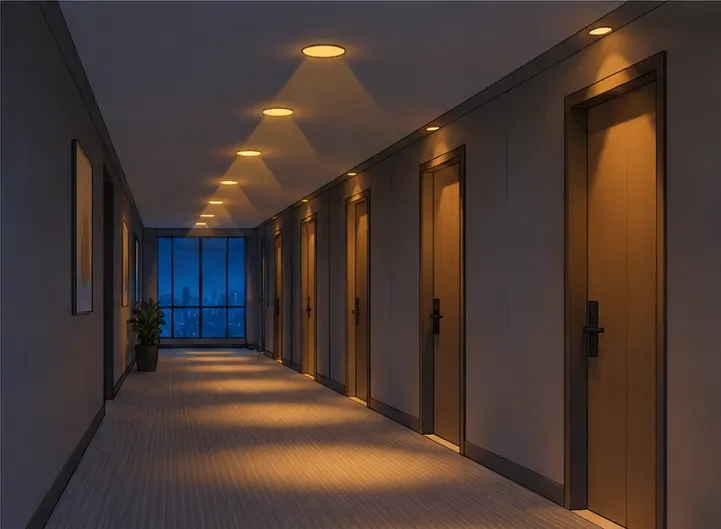
Role: DL01 downlight row. GLOW-D DL01 anti-glare downlights hold the corridor at the commissioned level.
What Goes Into One Zone
One downlight row plus openly sourced control gear
| Part | Role in this solution | Key facts | Supplied by |
|---|---|---|---|
| DL01-series downlight housing | Corridor and stairwell housing | Anti-glare housing and optics per DL01 series sheet; project engine plus Sunricher driver per tier, confirm variant sheet | Low Carbon Teclux housing; Sunricher driver |
| SRP-ZG9105N-12CC100-700 driver | Zigbee NFC single-color dimmable constant-current driver, dual-input tier | Built-in corridor mode; NFC setup for fade, occupied level, vacant level, delay and other parameters per manual; stored parameters run without gateway; push input for normal on/off sensor; Touchlink direct pairing | Sunricher control gear |
| SRP-2305N-12CC100-700 driver | DALI NFC constant-current driver, single-input cheapest tier | Built-in corridor mode; same NFC corridor profile, standalone without DALI master or gateway; push input for normal on/off sensor; sensor-only corridors with no remote | Sunricher control gear |
| SR-ZG2868K7-DIM remote | Single-color dimming remote | Low-power slim remote; one group for up to 30 single-color fittings; on, off, dimming plus scenes; Touchlink and Find and Bind, about 30m range | Sunricher control gear |
| Normal on/off sensor | Presence trigger | Third-party normal on/off type; wired to driver push input | Customer choice |
Model numbers for drivers and remote follow the Sunricher specialty solution for traceability — the Sunricher combination is those three control-gear items; DL01-series housing and sensor are completed on our side / customer side. Housing and optics per DL01 series sheet; project engine plus driver per tier, confirm variant sheet before ordering. Sensor brand is intentionally open so contractors reuse approved local stock. Pick dual-input where staff need a handheld remote, single-input where sensor-only is enough.
- Write the corridor profile by NFC — fade, occupied level, vacant level and delay per manual; the driver stores it.
- Wire the approved on/off sensor to push — the sensor side needs no new control bus.
- Touchlink the remote on dual-input zones — one group covers up to 30 fittings within about 30 meters.
- Walk-test every zone — corridors, stairwells and washrooms each keep their own copy; no gateway, no server.
Corridor Behavior and When to Pick It
Example settings plus sibling options
Corridor jobs usually hit the same three problems — control wiring costs more than the fittings, a DALI master means paying for programming on every small zone, and lights burn all night in empty corridors. A hotel corridor starting point that commissioning engineers adjust on site:
- Occupied 100 percent for about 100 lux, vacant 20 percent — full light for faces and luggage, low glow for cameras overnight
- Delay 5 minutes, fade 3 seconds — nobody feels lights snap behind them
- Manual on, off, dimming plus scenes by remote — temporary manual override on demand, sensor logic resumes after
The 100-lux occupied target follows EN 12464-1, which sets 100 lux for circulation areas and accepts lower levels at night — exactly what the vacant level uses. Occupancy sensing itself averages about 30 percent lighting-energy saving in EPRI/ASHRAE assessments, with the U.S. DOE reporting 30–90 percent by room type (see the U.S. DOE wireless sensor guidance). Values above are commissioning examples, not fixed firmware. Washrooms take shorter delays, stairwells take higher vacant levels, and every zone keeps its own copy inside its own driver. For retrofit budget math, read the wireless retrofit cost versus DALI rewiring before fixing the control budget. For sensor physics behind the choice of eye, read the PIR microwave presence sensor selection guide before fixing sensor positions.
| Option | Best for | Trade-off |
|---|---|---|
| This page dual-input: DL01 plus NFC plus remote | Corridors needing auto plus manual | Needs driver swap at retrofit |
| This page single-input: sensor plus DALI NFC driver | Cheapest pure-DALI corridors, sensor-only | No handheld remote scenes |
| AQUA-D bulkhead | Budget corridors, one fitting one sensor | No handheld remote scenes |
| DL01-BLE downlight | Phone scenes across many rooms | App commissioning, mesh planning |
Integrated sensing without remotes points to the AQUA-D microwave sensor bulkhead for corridors; phone-first multi-room scenes point to the DL01-BLE Bluetooth mesh downlight for refits; large retail scene scheduling points to the BLE mesh wireless dimming solution for retail.
FAQ
Quick answers about the trial combination
Yes for daily operation — NFC writes the corridor parameters into the driver once, then sensor logic and Touchlink remote both run locally with no gateway, no server and no internet dependency.
- Phone needed only at setup, never for daily switching.
- After a power cut the driver reruns its stored profile — no re-commissioning.
Order DL01-series housings — housing and optics per series sheet — the same anti-glare housings suit corridors, stairwells and lobbies; project engine plus Sunricher driver per tier, confirm variant sheet before ordering.
Yes, with temporary manual override — the K7 remote switches, dims or calls scenes by hand, then sensor timing resumes with last-level memory.
Any normal on/off sensor your project already approves — it lands on the driver push input without changing the lighting side.
One K7 remote group covers up to 30 single-color fittings — enough for a full corridor run or one stairwell core, with Touchlink and Find and Bind and about 30 meters range.
- Plan one group per corridor run or stairwell core.
- About 30 meters range per manual — verify on site through walls.
Pick AQUA-D where one integrated sensor per fitting is enough, DL01-BLE where phone scenes span many rooms — pick this NFC page where corridors need both unattended sensing and a physical remote in staff hands.
Sensor-only is enough where nobody needs hand control — pick the single-input DALI NFC driver tier for the cheapest corridors; add the dual-input remote tier where cleaners or staff need temporary manual override.
- Sensor-only suits stairwells and back-of-house routes nobody overrides.
- Dual-input suits hotel corridors and washrooms where staff grab the remote.
Send Message
Fill out the form and we will get back to you as soon as possible