Wireless DALI Retrofit Solution for Offices and Retail
No new control wires — mesh in, DALI out, tunable white
Mesh Carries Commands, Sensor Outputs DALI
Our wireless DALI retrofit solution for offices upgrades occupied open-plan floors and retail aisles to dimmable tunable-white light without pulling new control wires. A Casambi wireless DALI lighting control mesh carries app, wall-key and sensor commands; the chosen mesh-to-DALI sensor translates them onto a short DALI link that feeds 40W DT8 drivers, each set by NFC to 500–1050mA.
Three mesh ecosystems share one wiring principle — select Casambi, Silvair or Sunsmart per project preference — while a dual-driver variant serves floor lamps with independent uplight and downlight. Maintained illuminance targets 500 lux for open offices per EN 12464-1, with a no-rewire DALI retrofit path for retail accent zones (tunable-white scenes need a project tunable engine).
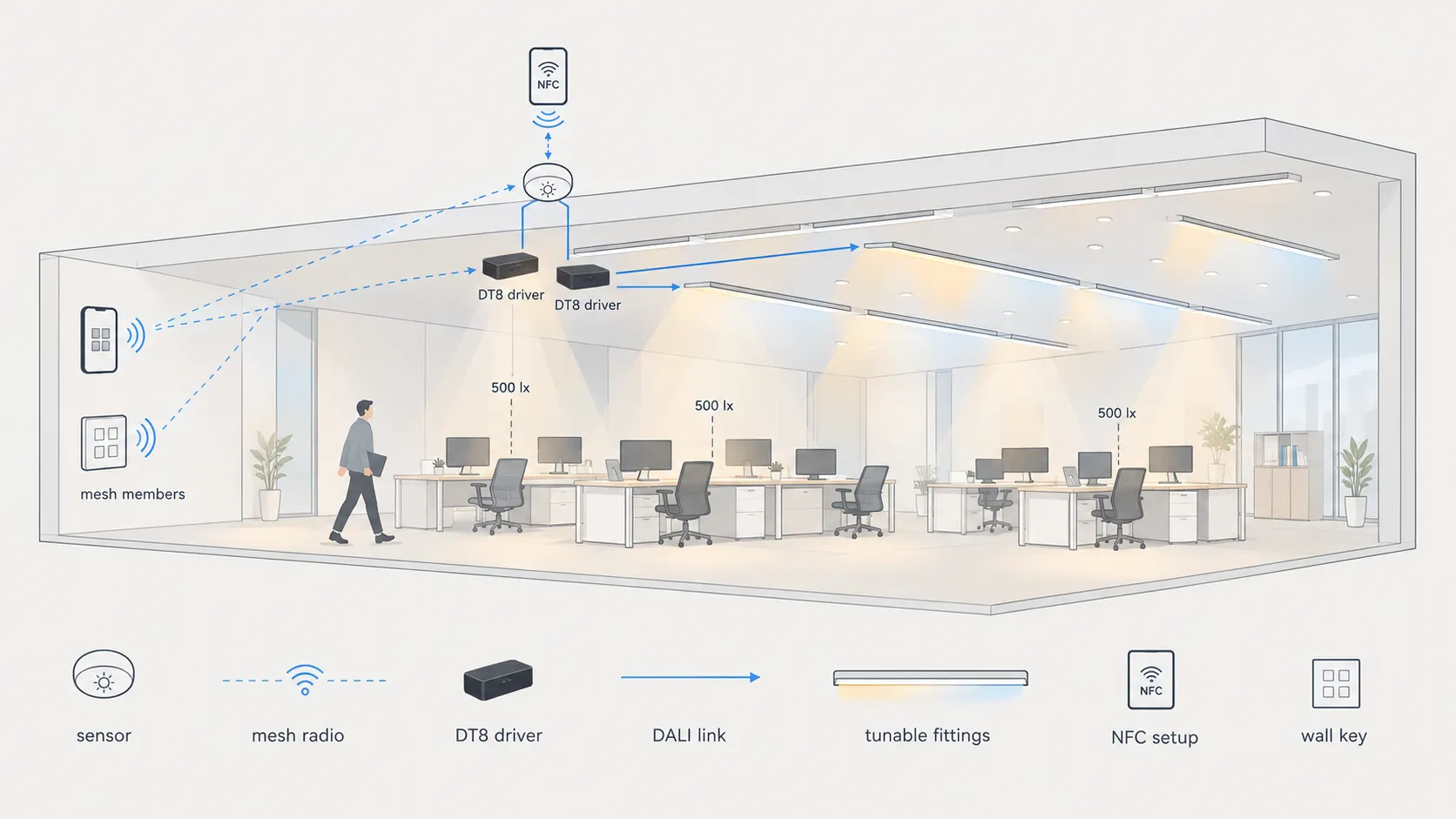
Mesh members talk radio; one sensor link outputs DALI to DT8 drivers — no new control wires.
How the Combination Works
Mesh carries commands, sensor outputs DALI, drivers tune white
Mesh Command Layer
The phone app, a four-key wireless wall key and the occupancy sensors share one Bluetooth mesh under Casambi, Silvair or Sunsmart firmware. Grouping, scenes and schedules live in the mesh, so daily control needs no gateway and no server.
Sensor DALI Output
The selected sensor joins the mesh, then emits standard DALI toward its drivers. Recessed and fixture-integrated PIR-plus-daylight forms are pick-one by mounting position — only the chosen unit wires to the short DALI link.
DT8 Tunable Drivers
Each 40W DT8 driver takes the sensor DALI and feeds its fitting over two constant-current channels for dimming plus color-temperature tuning. Output current is fixed by NFC between 500 and 1050mA per fitting data.
System Topology
One mesh, one sensor link, one tunable zone
Mesh members talk radio; only the short sensor-to-driver link is wired DALI.
Each zone keeps mains wiring as built. The phone app, the four-key wall key and the occupancy sensors join one mesh; the single chosen sensor converts mesh scenes into DALI dim and color-temperature commands for its drivers. Fittings, sensors and keys stay reachable for regrouping without touching the ceiling.
Our supply scope is the visible half — track heads, linear runs and downlights below. Control gear follows openly numbered mesh-to-DALI parts, so replacement sensors, keys and drivers stay sourced on the open market instead of locked to one fixture vendor.
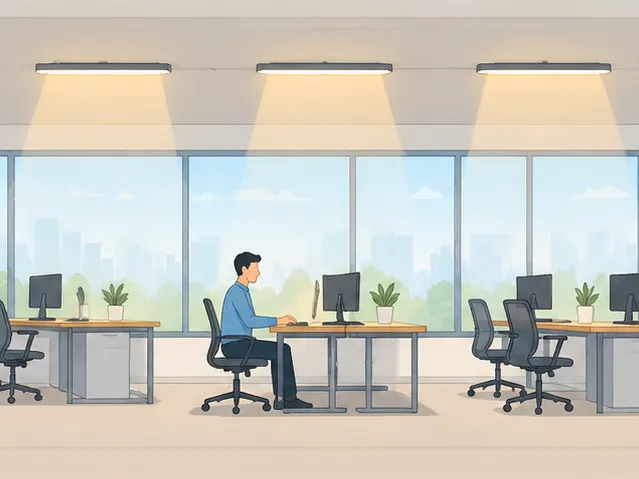
Scene: open office. Desks hold 500 lux with daylight-linked dimming while the mesh keeps every zone regroupable.
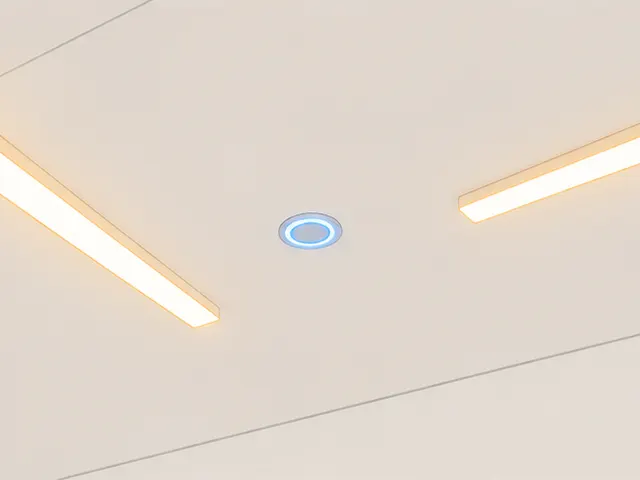
Mount: recessed or integrated. Pick the recessed or the fixture-integrated sensor form per ceiling detail — one per DALI link.
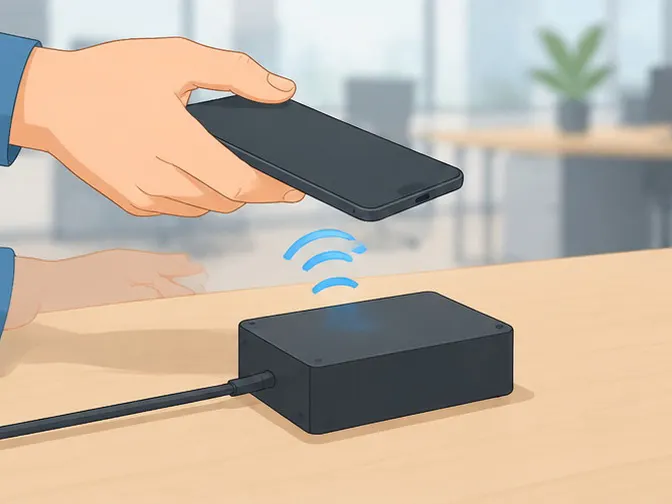
Setup: NFC current. A phone tap fixes each 40W DT8 driver between 500 and 1050mA before mounting.
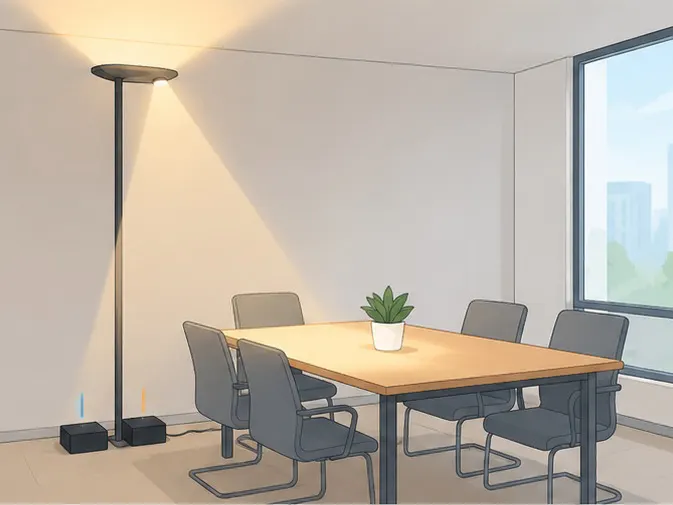
Variant: floor lamp. One sensor feeds two DT8 drivers so uplight and downlight dim and tune separately.
What Goes Into One Zone
One sensor link plus openly sourced control gear
| Part | Role in this solution | Key facts | Supplied by |
|---|---|---|---|
| Mesh-to-DALI sensor, pick one form | Mesh member and DALI source | PIR plus daylight sensing; recessed or fixture-integrated form by mounting; joins the mesh, emits DALI to its drivers | Mesh control gear |
| Four-key wireless wall key | Staff hand control | Four-key on, off, dimming plus scenes; commissioned from the app into the same mesh | Mesh control gear |
| 40W DT8 tunable-white driver | Two-channel constant-current feed | Dual-channel adjustable color temperature; NFC output-current setup from 500 to 1050mA; DALI-2 D4i type | Mesh control gear |
| Phone commissioning app | Grouping and scenes | Pairs keys and sensors, writes driver current by NFC, stores scenes; daily operation runs without it | Mesh ecosystem |
Sensor and key model numbers follow the mesh ecosystem picked per project — Casambi, Silvair or Sunsmart — while the 40W DT8 driver class stays constant across all three. The sensor pair is strictly pick-one: wire only the chosen form to the short DALI link. Below are Teclux housings for scene reference only — housing, beam and cutout per series sheet; project engine plus driver per control route, confirm variant sheet before ordering.
| Teclux housing (series) | Zone | Light task | Driver match |
|---|---|---|---|
| VUE-series track housings | Retail aisles and produce walls | Aimed accent beams, beam and optics per series sheet | Project engine plus DT8 driver per route, confirm variant sheet |
| TRON-series linear housings | Open offices | Continuous general light toward 500 lux maintained | Project engine plus DT8 driver per route, confirm variant sheet |
| DL01-series downlight housings | Offices and circulation | Anti-glare general light with daylight response | Project engine plus DT8 driver per route, confirm variant sheet |
- Join the mesh first — app, wall key and sensors enter the picked Casambi, Silvair or Sunsmart mesh.
- Mount the chosen sensor form — recessed or fixture-integrated; wire only it to the short DALI link.
- Tap each driver by NFC — fix output current between 500 and 1050mA per project engine sheet before power-up.
- Group and store scenes — day, evening and cleaning scenes per zone; walk-test occupancy and daylight response.
Office Behavior and When to Pick It
Example settings plus ecosystem options
Retrofit offices usually hit the same three problems — pulling control buses through occupied ceilings costs more than the fittings, fixed color temperature drags evening comfort down, and locked-in ecosystems punish the next refurbishment. An open-office starting point that commissioning engineers adjust on site:
- Occupied 500 lux with daylight trimming — maintained task light per EN 12464-1, dimmed back near windows
- Day 4000K shifting warmer for evening cleaning scenes — tunable-white scenes stored per zone, not fixed firmware
- Vacant setback by occupancy, manual wall-key override — sensors save energy unattended, staff keep hand control
The 500-lux occupied target follows EN 12464-1 for open offices; values above are commissioning examples, not fixed firmware. Casambi describes the same no-new-wires logic for existing DALI stock in its retrofit and refurbishment whitepaper. For the wider technology choice, read the smart lighting guide for retrofit and DALI projects before fixing the ecosystem.
| Option | Best for | Trade-off |
|---|---|---|
| This page with Casambi mesh | Teams already on the Casambi app | Widest third-party key choice |
| This page with Silvair mesh | Open Bluetooth-mesh specifications | Silvair-sensor commissioning flow |
| This page with Sunsmart mesh | Sunsmart-planned portfolios | Sunsmart-sensor commissioning flow |
| Gateway bridge for mixed buildings | Stock DALI buses kept plus Zigbee and Matter platforms | Needs a bridge hub on site |
| No-master route for small rooms | Homes and hotel rooms with local panels | No whole-floor scenes |
Retail accent heads point to the high-CRI track heads for produce counters; open-office general light points to the continuous linear runs for open offices; phone-first multi-room dimming points to the Bluetooth mesh dimming for large retail.
Floor-Lamp Variant: Independent Uplight and Downlight
One sensor, two DT8 drivers, separate addresses
Standing floor lamps in meeting corners need two moods at once — soft upward bounce for the room, focused downward task light for the table. The variant keeps the same mesh-to-DALI principle but lands one sensor DALI link on two DT8 drivers instead of one, each with its own DALI address and group.
The wall key then drives uplight and downlight as independent groups: separate switching, separate dimming and separate color temperature, with mesh state staying synchronized across app and key. Occupancy plus daylight from the same sensor still trims both channels.
| Channel | Driver | Independent control |
|---|---|---|
| Uplight indirect | DT8 40W driver, own address | Switch, dim and tune apart from downlight |
| Downlight direct | DT8 40W driver, own address | Task scenes without washing the ceiling |
Both drivers share the 500–1050mA NFC current range; confirm each channel against its lamp-head data before ordering.
FAQ
Quick answers about the wireless DALI retrofit
Choose by ecosystem preference because wiring and drivers stay identical — the sensor and wall key change with the mesh while the 40W DT8 driver class and the NFC current step remain the same across all three options.
- Confirm which commissioning app the facility team already runs before ordering.
- Keep one ecosystem per floor so keys and scenes stay interchangeable.
No new control bus is pulled through occupied ceilings — commands travel over the wireless mesh and only a short local DALI link connects the chosen sensor to its drivers in each zone.
- Mains wiring to the fittings stays exactly as built.
- Regrouping later happens in software with no ceiling access.
An NFC phone tap writes the output current before or during mounting — each 40W DT8 driver accepts 500 to 1050mA per fitting data with no host, no gateway and no lighting software involved.
- Match the tapped current to the connected head, run or downlight datasheet.
- Re-tap any swapped fitting instead of replacing the driver.
Yes with the dual-driver variant for standing lamps — one mesh sensor feeds two DT8 drivers on separate DALI addresses, so upward bounce and downward task light switch, dim and tune independently.
- Group uplight and downlight apart on the wall key for daily use.
- Both channels keep occupancy and daylight response from the same sensor.
VUE-series housings, TRON-series housings and DL01-series housings cover the listed zones — retail accents, open offices and circulation each take the housing whose series sheet matches the zone; tunable-white scenes need a project tunable engine, confirm variant sheet before ordering.
- Retail accent zones use the track housings for aimed beams; BLE integrated heads stay on the Bluetooth mesh page, not here.
- Open offices use the linear housings and downlight housings toward 500 lux maintained.
Send Message
Fill out the form and we will get back to you as soon as possible